Pavingstones Sold. Over 2 Billion!

CAMBRIDGE DESIGNSCAPE VISUALIZER
DSV 2.0 Now Available! Go to... www.cpvisualizer.com
DesignScape Visualizer is free and allows access for homeowners, contractors and design professionals to design, layout and visualize a project space using Cambridge Pavingstone products and solutions. See what you can expect...

|
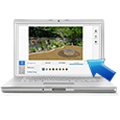
Photo Upload
You can upload a photo of your project area or space (backyard, patio, driveway,
etc.) to design and incorporate Cambridge Pavingstone products into your photo to
create a visual representation of your project. |
|
|
|

|
Save, Print or Email Your Designs
Your final project designs can easily be Saved, Printed or Emailed so you can share
with or provide to, homeowners, contractors or Cambridge distributors for review. |
|
|
|
|
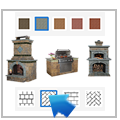
Product Selector
Access our easy "Click-n-Add" product selector with a variety of Pavingstone Systems,
Wallstone Systems and Outdoor Living Solutions available from Cambridge.
|
|
|
|
|
View Project Product Estimate
Create a product manifest that lists all the selected products used in creating
your design. This will be helpful in estimating the cost of your project. |
|
|
|
|
Ease of Use and Options
DSV 2.0 was created to allow you to quickly and easily design and layout your project.
It allows you to create and save multiple projects and to compare before and after
images as well. It's free to use and provides the benefit of allowing you to see a project's end result ahead of time. |
|
The software is FREE to use and will give you the opportunity to see the end result of your project in advance. |
|